 listicle
How to Use Outsourced CAD Drafting for Efficiency
Last Updated: October 31, 2026
Quick Summary
Outsourced CAD drafting improves efficiency by moving the rework loop to specialists who draft every day, so ambiguous sketches are caught before they become bad parts. Efficiency shows up as fewer revision cycles and machine-ready drawings, not faster typing.
- Outsourcing turns several fixed drafting costs into a variable one, but only if you compare the right numbers.
- Compare cost per finished, fabrication-ready drawing rather than hourly rate when weighing both options.
- Ask how many revision rounds are included before comparing quotes, since the cheapest quote often hides rework costs.
- Track revision rounds per drawing and rework rate to see whether your drafting workflow is holding.
- Start with one small, real project and count the revisions before committing to a bigger contract.
Table of Contents
- Why Outsourced CAD Drafting Improves Efficiency
- In-House vs Outsourced CAD Drafting: An Honest Comparison
- The Cost Side: Overhead, Capacity, and What You Actually Pay For
- A CAD Drafting Project Brief Template That Prevents Rework
- CAD Drafting Quality Control Best Practices
- AI and the Future of CAD Drafting
- Choosing a Drafting Partner and Sending Your First Files
- Frequently Asked Questions
Why Outsourced CAD Drafting Improves Efficiency
Outsourced CAD drafting is the practice of handing computer-aided design work to an outside team instead of keeping it on an internal payroll. According to Shalin Designs' analysis of CAD outsourcing for manufacturers, manufacturers that moved design work to an external firm reported lower design costs, and the efficiency gain came from how the work was structured rather than from cutting corners.
Where the Hours Actually Go
Drafting time disappears in places nobody bills for. A part gets modeled, then re-modeled because a sketch was ambiguous. A drawing gets revised three times because the machinist flagged a tolerance that would not hold.
When you outsource the drafting, that rework loop moves to the people who do it every day. For the fuller case, see why professional CAD design is essential for custom parts.
What Efficiency Looks Like on a Real Project
Efficiency shows up as fewer revision cycles, not faster typing. A clean handoff means the drawing arrives machine-ready: correct units, correct tolerances, a file format the shop already uses. That is the difference between a project that runs once and a project that runs four times.
In-House vs Outsourced CAD Drafting: An Honest Comparison
Neither option wins outright. In-house drafting gives you control and instant communication; outsourced drafting gives you capacity and specialist skill without a hiring cycle. The right call depends on how steady your workload is.
| Factor | In-House Drafting | Outsourced CAD Drafting |
|---|---|---|
| Cost structure | Salary, benefits, software seats | Per-project or retainer |
| Capacity | Fixed to headcount | Scales with workload |
| Skill range | Whatever one or two people know | Access to specialists |
| Turnaround | Limited by availability | Set by the brief and queue |
| Ramp-up | Weeks to hire and train | Days to onboard |
| Best for | Steady, high-volume work | Peaks, one-offs, niche work |
A common mistake is outsourcing the work you understand best and keeping the work nobody has time to learn. Flip that. Keep the design decisions that define your product in-house, and send out the drafting volume that follows a known pattern.
The Cost Side: Overhead, Capacity, and What You Actually Pay For
The visible cost of drafting is the invoice. The invisible cost is the seat, the software subscription, the training, and the downtime when the one person who knows the file format is on vacation. Outsourcing turns several of those fixed costs into a variable one, but only if you compare the right numbers.
Total Cost of Ownership, Not Hourly Rate
A fair comparison is cost per finished, fabrication-ready drawing. Build that number for both options using the same buckets:
- Labor, salary or contract rate, plus payroll taxes and benefits for an employee.
- Software, seats, add-ons, and version upgrades.
- Hardware and IT, workstations, storage, backups, and the time someone spends keeping them running.
Add those up per finished drawing, not per hour, and the comparison usually looks different from the sticker price on either side.
What Actually Drives a Quote
Quotes for this kind of work generally depend on a handful of variables, and knowing them helps you read a quote instead of guessing at it:
- Deliverable type, a 2D drawing, a 3D model, or both. Models and drawings together take longer than either alone.
- Starting point, a clean model is faster than a napkin sketch, a photo, or a physical part that has to be measured.
- Complexity, part count, feature density, and how many critical tolerances have to be called out.
When In-House Wins on Cost
Outsourced drafting is not automatically cheaper. If your volume is steady and high, an internal drafter can be the better long-term spend because the fixed costs get spread across enough drawings. The honest framing is this: outsourcing buys flexibility and specialist skill, and you pay a premium for both.
A practical test: track your drafting hours for a quarter. If the workload is steady and the rework rate is low, in-house math tends to win.
A CAD Drafting Project Brief Template That Prevents Rework
Most rework traces back to a thin brief. Give the drafting team the same information you would give a machinist, and the first draft usually lands close.
Use this as a starting template:
Project: [part or assembly name] Deliverable: [2D drawings, 3D model, or both] Units and tolerances: [unit system, critical tolerances] File format required: [format the shop will open] Reference material: [sketches, photos, existing part, measurements] Critical dimensions: [the features that must not move] Material and process: [what it will be cut or printed from] Deadline and revision rounds included: [date, count]
If your starting point is a napkin sketch rather than a model, a clear brief and reference photos or measurements give the drafter what they need to build a usable drawing. Our guide on how to convert sketches to CAD files walks through that step.
CAD Drafting Quality Control Best Practices
Quality control on drafting is mostly a checklist habit, but a checklist alone does not tell you whether the process is working. The sections below turn the habit into a workflow you can measure.
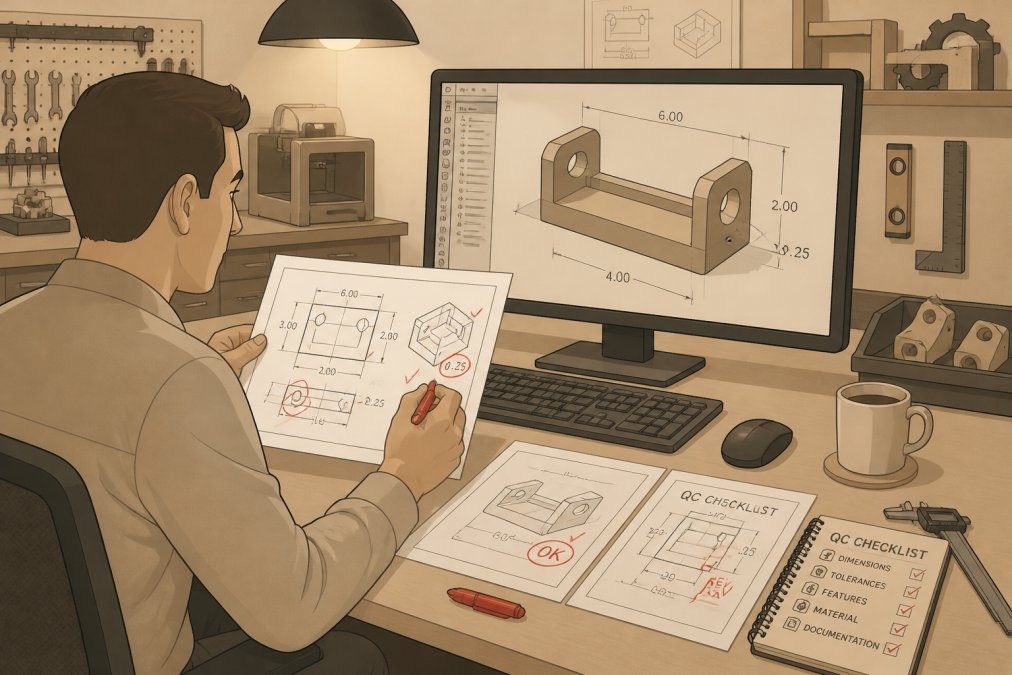
The Pre-Release Checklist
Before any drawing leaves for fabrication, confirm the units, the tolerance callouts, the title block, and the file format. It also helps to know the best CAD file formats for CNC machining. Knowing how to prepare CAD files for CNC machining covers what the shop needs on its end.
A Revision Workflow That Holds Up
Most rework traces back to a change nobody logged. A simple workflow fixes that:
- Request, every change starts as a written request tied to a project and a reason.
- Log, the revision log records what changed, who asked, and when. The drawing revision letter or number advances with each approved change.
- Review, someone other than the drafter checks the change against the brief before it is released.
- Approve, the approver signs off in writing, and the approved file becomes the version of record.
- Release, only the approved version goes to fabrication. Older versions are archived, not left in the shared folder where someone can grab the wrong one.
Version control matters more than people expect. A drawing named bracket_final_v3 is a warning sign; a drawing named with a revision letter and a date is a system.
Indicators Worth Tracking
You cannot improve what you do not count. A handful of numbers tell you whether the workflow is holding:
- Revision rounds per drawing, the count from first draft to approved release. Fewer is better, and a rising count points to a thin brief.
- Rework rate, the share of drawings that come back for a correction after release. This is the number that costs the most.
- First-pass approval rate, the share of drawings approved without changes. Track it by project type, because some work is simply harder.
Where the Second Set of Eyes Belongs
A second reviewer catches the missing dimension that the drafter has stopped seeing. Put that reviewer at the point where the cost of a mistake jumps, before release to fabrication, not after. For a one-off part, that is the only review that matters. For a batch, it is the review that keeps the whole batch from being scrap.
AI and the Future of CAD Drafting
AI is changing drafting, but not in the way the headlines suggest. It is strongest at the repetitive layer: generating standard views, flagging missing dimensions, converting between file formats.
What this means in practice is that the drafting role shifts toward review. Someone still has to decide whether a tolerance is right for the process, and that decision does not come from a model.
Choosing a Drafting Partner and Sending Your First Files
Start with a small, real project rather than a big contract. Send one part with a clear brief, see how the first draft lands, and count the revisions. Our step-by-step guide to designing machine-ready parts is a good companion for that first send. That single test tells you more than any portfolio page.
When you evaluate a partner, ask four things: what file formats they deliver, how many revision rounds are included, who checks the drawing before it ships, and how they handle your files after the project closes. That last question matters. Your drawings are your intellectual property, and a partner should be clear about confidentiality and file retention.
At VanderLab, this is the work we do in our Mebane shop every day: taking a sketch, a photo, or a rough idea and turning it into a print- or machine-ready file, then fabricating the finished part. If you have a part in mind, send us the details for a custom quote and we will tell you what the drafting and fabrication will take. You can also browse our Ebay Shop to see the kind of work that comes out of the shop.
Frequently Asked Questions
Will CAD drafters be replaced by AI?
Not in any way that removes the need for judgment. AI can speed up repetitive work like generating views, cleaning up layers, and flagging dimensional conflicts, but someone still has to interpret the design intent, confirm tolerances, and sign off on drawings that go to a machinist. The practical shift is that drafters spend less time on cleanup and more on review. For a small shop, that makes outsourced CAD drafting more useful, not less: you can hand off the routine drawing work and keep the engineering decisions in-house.
When should a business outsource CAD drafting instead of hiring?
Outsource when the work is bursty or specialized. If your drawing backlog spikes around a product launch and then goes quiet, a full-time hire sits idle for part of the year. Outsourcing also makes sense when a project needs a skill your team lacks, such as 3D modeling for a particular assembly or detailed architectural drafting. Keep work in-house when it depends on tribal knowledge, involves sensitive intellectual property you cannot send outside, or needs same-day back-and-forth with the shop floor.
How do you choose an outsourced CAD drafting provider?
Ask for samples in your own file format and drawing standard, not a generic portfolio. Confirm who actually does the work, how revisions are handled, and what turnaround they commit to in writing. Ask directly about confidentiality: whether they will sign an NDA, where files are stored, and who has access. Start with one small, well-briefed project before committing a large batch. A provider who asks good questions about tolerances and material up front is usually the one who returns drawings you can send straight to the machine.
What should you include in a CAD drafting project brief?
Cover the deliverable format, units, drawing standard, and revision limit first, since those cause the most rework when omitted. Then add the design intent: what the part does, critical dimensions and tolerances, material, and any features that must not change. Include reference sketches, photos, or an existing model, plus a named point of contact for questions. A one-page brief with a marked-up sketch beats a long email thread every time, and it gives you a written record to check the finished drawings against.
The gap between a rough idea and a finished part is usually a drafting problem, not a machining one. Send us your sketch or your existing file, and we will turn it into something the machine can actually cut. Get started with VanderLab and move from concept to a built-to-spec part, one project at a time.