 ultimate-guide
CNC Routing vs 3D Printing: Choose the Right Process
Table of Contents
- CNC Routing vs. 3D Printing: Core Differences
- CNC Routing vs. 3D Printing for Prototypes
- CNC Routing Materials and Design Freedom
- Accuracy, Tolerances, and Surface Finish
- CNC Routing Design Guidelines for Success
- Production Volume and Cost Comparison
- How to Get a Quote and Work with a Service Provider
- Frequently Asked Questions
Last Updated: October 6, 2026
CNC Routing vs. 3D Printing: Core Differences
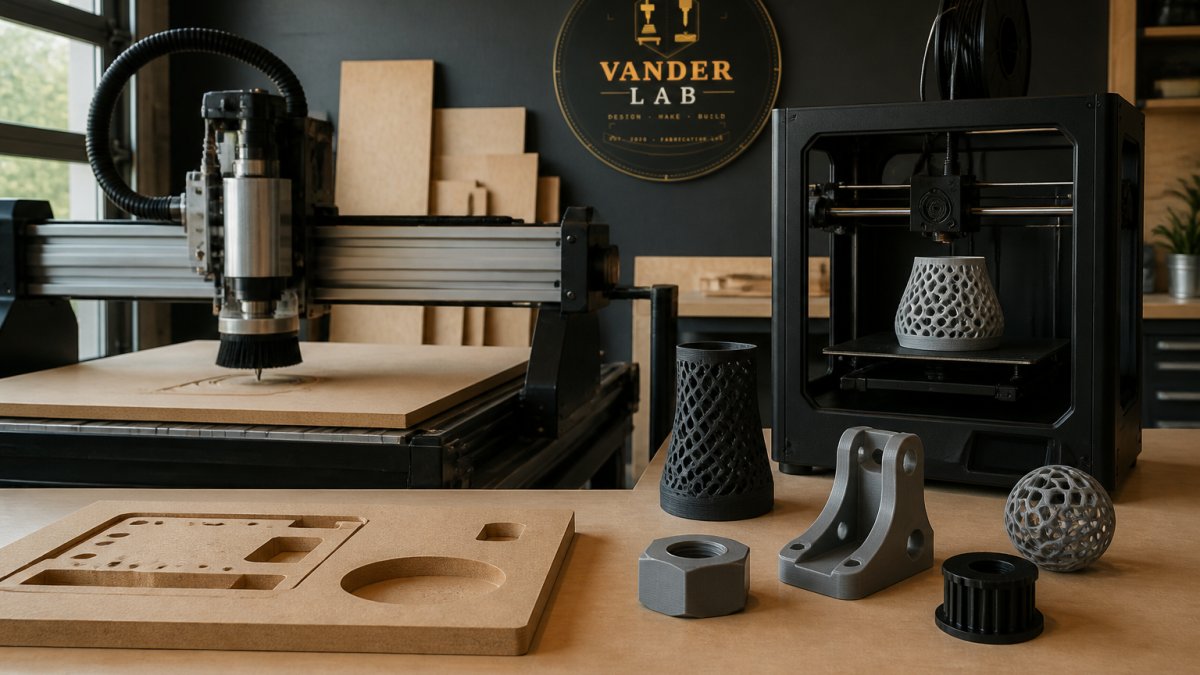
When you're deciding between CNC routing and 3D printing services, you're really choosing between two fundamentally different approaches to making parts, and understanding CNC routing vs 3D printing helps you pick the right one. At VanderLab, we work with both processes regularly, and the choice comes down to understanding what each one does best. CNC routing vs 3D printing represents a core decision in custom manufacturing: one removes material to create a part, the other builds it up layer by layer.
How Each Process Works
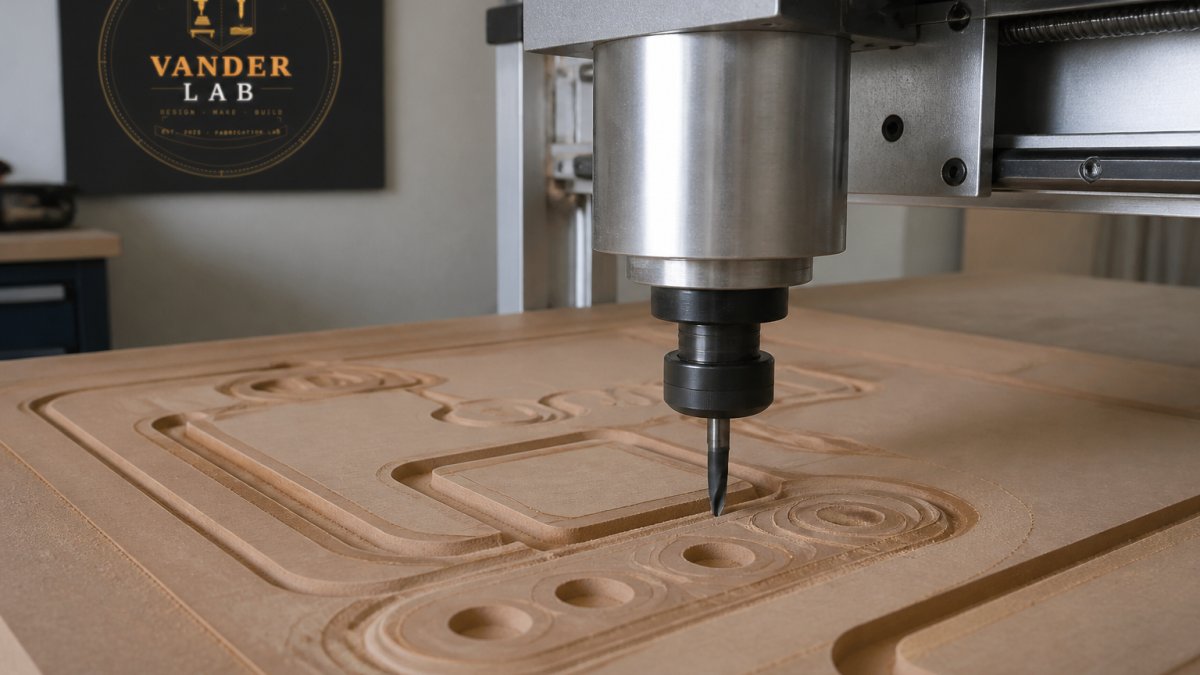
CNC routing is a subtractive manufacturing process. A CNC router uses rotating cutting tools to remove material from a solid block, sheet, or panel. The machine follows a programmed toolpath, cutting away everything that isn't your final part.
3D printing, also called additive manufacturing, works the opposite way. The printer deposits material layer by layer, building your part from the ground up. Each layer bonds to the one below, creating a solid part once printing is complete.
Subtractive vs. Additive Manufacturing
The difference between these approaches shapes everything else. Subtractive manufacturing (CNC routing) starts with a block of material and removes what you don't need.
Additive manufacturing (3D printing) builds from nothing, which means you can create complex internal geometries that would be impossible to machine. Overhangs and enclosed cavities aren't problems.
CNC Routing vs. 3D Printing for Prototypes
For prototype work, both processes shine in different situations. The choice often comes down to speed, complexity, and how many iterations you're planning.
Speed and Lead Time
CNC routing is faster for simple geometries and flat or near-flat parts. A 2D sign or a simple wooden bracket can be cut in hours.
3D printing takes longer per part, but the trade-off is flexibility.
For iterative prototyping, 3D printing often wins. You can print a part, test it, modify the design, and print again within days.
Setup Costs and Small-Batch Economics
3D printing has lower setup costs. There's no tooling, no custom fixtures, no tool changes for different features. You upload a file and press start.
CNC routing setup can be more expensive if your part requires custom fixtures or multiple tool changes. However, once setup is complete, the per-part cost drops quickly.
For small batches under 10 parts, 3D printing usually offers better economics. For 20-100 parts, the comparison tightens.
CNC Routing Materials and Design Freedom
The materials you need and the complexity of your geometry drive much of the decision between these processes.
Material Options for CNC Routing
CNC routing handles wood, plastics, composites, and soft metals like aluminum and brass. If you need a part in hardwood for a keepsake or signage, CNC routing is your answer. If you need aluminum for structural rigidity or thermal properties, CNC routing delivers precision.
Wood is a natural fit for CNC routing, especially for custom address signs, decorative pieces, and functional parts that benefit from the warmth of solid material. Aluminum offers precision and durability for mechanical components.
What 3D Printing Can Handle
3D printing materials include standard thermoplastics like PLA, PETG, ABS, and TPU. PETG offers durability for functional parts. ABS is tough and chemical-resistant. TPU is rubber-like.
If you need a metal part, CNC routing or traditional machining is your path.
Geometric Complexity and Build Volume
3D printing excels at complexity. If your part has internal channels, undercuts, organic curves, or enclosed cavities, 3D printing handles it without extra cost.
Build volume matters for both. CNC routers have a work envelope limited by the machine size. 3D printers have smaller build volumes. Large parts may require splitting into sections.
For a custom address sign or decorative piece, CNC routing's larger work area is an advantage. For a complex prototype with internal geometry, 3D printing's design freedom wins.
Accuracy, Tolerances, and Surface Finish
Precision matters for functional parts. Both processes deliver accuracy, but they excel in different ways.
Dimensional Precision and Tight Tolerances
CNC routing achieves tighter tolerances because the cutting tool is rigid and the machine is mechanically precise. If your part needs to fit into an assembly with minimal clearance, CNC routing is reliable.
3D printing tolerances are looser. The layer-by-layer process introduces variability, and thermal stress during cooling can cause slight warping. For prototypes and non-critical parts, this is fine. For functional assemblies, you may need to post-process 3D printed parts or design with looser tolerances in mind.
Post-Processing and Surface Finish
CNC routed parts come off the machine with an excellent surface finish, especially on wood and plastics. Wood can be sanded and stained. Aluminum can be polished or anodized. Minimal post-processing is needed.
3D printed parts require more post-processing. Support material must be removed, which leaves marks. Layer lines are visible unless the surface is sanded, vapor-smoothed, or painted. For a cosmetic prototype or a gift item, post-processing is worth it. For a functional test part, you might skip it.
CNC Routing Design Guidelines for Success
Getting a good result from CNC routing starts with design. Understanding what the machine can and can't do prevents expensive mistakes.
Tool Access and Internal Features
The most important rule: the cutting tool must be able to reach every feature. If your part has a deep pocket with a narrow opening, the tool might not fit.
Plan for tool access by avoiding features that trap the cutting tool. Pockets should have sloped sides or rounded corners where possible.
Overhangs are fine with CNC routing. A bracket that extends off the edge of a panel is no problem. Undercuts are the challenge.
Design for Manufacturability
Think about how the part will be held during cutting. Simple parts can be cut from a sheet in one setup.
Minimize tool changes. Each tool change takes time. If you can design your part to use one or two tools, setup is faster and cost is lower.
Consider material grain and properties. Wood parts should account for grain direction and seasonal movement. Plastic parts can warp if cut too aggressively or if internal stress isn't relieved.
Production Volume and Cost Comparison
The break-even point between CNC routing and 3D printing depends on several factors.
Per-Part Economics at Different Volumes
For 1-5 parts, 3D printing is often a cost-effective option. Setup is minimal.
For 10-50 parts, the comparison tightens. CNC routing's setup cost spreads across more units, making per-part cost competitive.
For 100+ parts, CNC routing can become more cost-effective per unit because the setup cost can be spread across more units. Material waste is a cost driver at high volumes, and that depends on part geometry and material.
When to Choose CNC Routing
Choose CNC routing when you need precision, durability, or specific materials like wood or aluminum. Choose it for parts that will see repeated use or stress. Choose it for quantities where the setup cost makes sense, typically 20 parts or more.
At VanderLab, we recommend CNC routing for custom address signs, decorative panels, functional brackets, and any part where material choice matters. It's also the right choice when surface finish and precision are non-negotiable.
When to Choose 3D Printing
Choose 3D printing for complex geometries with internal features. Choose it for one-off prototypes or small batches. Choose it when you need fast turnaround and don't mind some post-processing. Choose it if your part is small enough to fit the build volume.
3D printing shines for iterative design, organic shapes, and parts where design freedom matters more than material properties. It's also the choice when you want to avoid material waste.
How to Get a Quote and Work with a Service Provider
Getting a quote requires clear communication about your part and your needs.
Files You'll Need to Provide
Prepare a CAD file in a standard format like STEP, IGES, or STL.
Include dimensions and tolerances. If your part needs to fit into an assembly, specify critical dimensions and how tight the tolerance needs to be. If appearance matters more than precision, say so. This helps the provider recommend the right process.
Specify material if you have a preference. If you're flexible, the provider can recommend the best material for your application and budget.
What to Expect in the Quoting Process
A good quote should include the process recommendation (CNC routing or 3D printing), material choice, estimated lead time, and cost. The quote should explain why they recommended a particular process.
Ask about design feedback. A service provider worth using will point out potential issues with your design and suggest improvements.
Lead time varies. Rush options exist.
For custom work, expect a back-and-forth conversation. You might need to revise your design based on manufacturing feedback. That's normal and usually results in a better part and lower cost.
Choosing between CNC routing and 3D printing comes down to matching the process to your part and your constraints. Get in touch with a custom quote, and let's talk through what your project needs. You can also browse finished work and available pieces on our eBay Shop.
Frequently Asked Questions
What is the main difference between CNC routing and 3D printing?
CNC routing removes material from a solid block using cutting tools (subtractive manufacturing), while 3D printing builds parts layer by layer from plastic, resin, or metal (additive manufacturing). CNC routing excels at producing parts with tight tolerances and smooth surface finishes from wood, metals, and composites. 3D printing works best for complex geometries, small batches, and designs with internal features that would be impossible or impractical to machine.
When should I choose CNC routing over 3D printing?
Choose CNC routing when you need tight dimensional accuracy, superior surface finish, production runs of 10+ parts, or parts made from metal or hardwood. CNC routing also costs less per part at higher volumes and produces stronger, more durable components. It's ideal for signage, precision brackets, decorative panels, and functional parts that require machined tolerances.
What CNC routing materials are available, and how do they compare?
CNC routers work with wood (hardwoods and plywood), aluminum, brass, copper, composites, acrylic, and some plastics. Wood offers warmth and detail for decorative items and signage. Aluminum provides strength and corrosion resistance for functional parts. Brass and copper suit decorative and electrical applications. Each material affects surface finish, tool wear, and final cost. Material selection depends on the part's function, appearance, and environment.
Which process is better for prototypes and one-off parts?
3D printing is typically better for prototypes and one-off parts because it has lower setup costs and no tooling fees. You can iterate quickly and test designs without expensive mold or fixture investment. CNC routing becomes more economical once you reach 10-20 parts, depending on complexity and material. For a single decorative or functional piece, 3D printing in plastic or resin can be an efficient option.
How do I know what files to provide for CNC routing or 3D printing?
Provide a CAD file (STEP, IGES, or STL format) with all dimensions, tolerances, and material notes clearly marked. If you don't have a CAD file, sketch drawings with measurements, photos, or rough ideas work too. Include details about surface finish requirements, material preference, and any functional constraints. A good service provider will review your design for manufacturability and suggest improvements before quoting.
Does CNC routing design require special considerations?
Yes. CNC routers need tool access to cut internal features, so avoid sharp inside corners (use small radii instead). Thin walls and deep pockets can break tools or weaken parts. Design with standard tool sizes in mind, and keep wall thickness consistent. Avoid undercuts unless you're willing to flip the part. Communicating these constraints upfront helps a service provider quote accurately and avoid costly design changes.
How does production volume affect the choice between CNC and 3D printing?
For 1-5 parts, 3D printing is often a good choice. For 10-100 parts, CNC routing can become more economical because setup costs are spread across more pieces. For 100+ parts, CNC routing's per-part cost can be very competitive. 3D printing shines for low-volume, highly complex designs. CNC routing wins for higher volumes, tighter tolerances, and stronger materials. The break-even point depends on part complexity and material choice.