 ultimate-guide
Custom Wood CNC Routing Services Nearby: 2026 Guide
Table of Contents
- What Custom Wood CNC Routing Services Nearby Actually Include
- How to Prepare Files for CNC Routing
- CNC Routing Design Best Practices
- Materials We Cut: Hardwoods, Plywood, Melamine, and More
- Small-Batch CNC Manufacturing and One-Off Prototyping
- What Affects Cost and Turnaround Time on a Custom Quote
- Frequently Asked Questions
Last Updated: September 12, 2026
What Custom Wood CNC Routing Services Nearby Actually Include
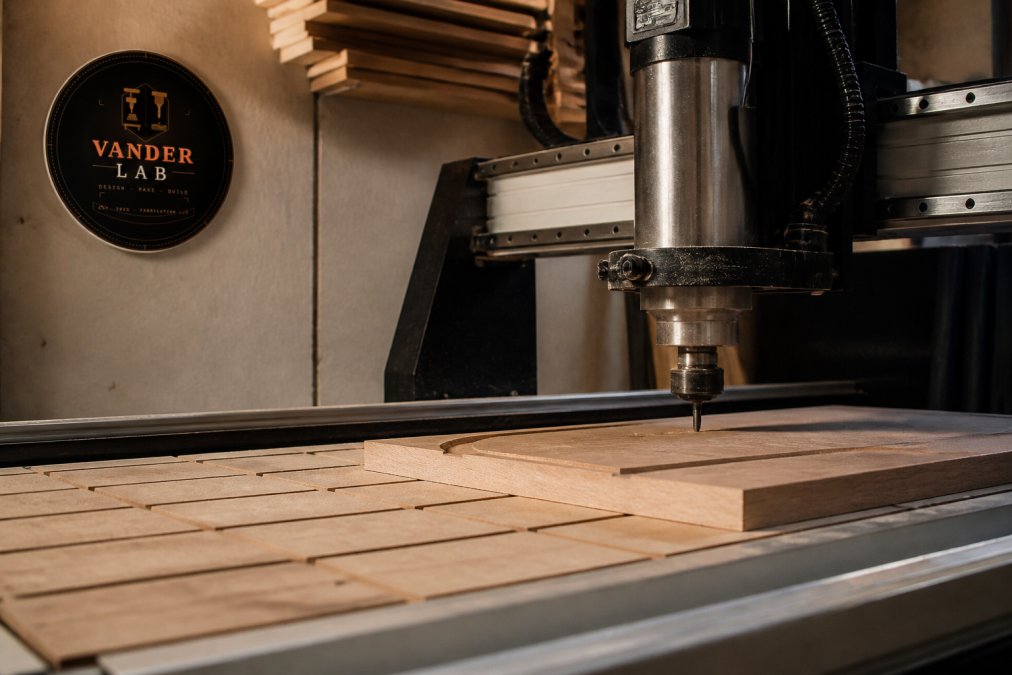
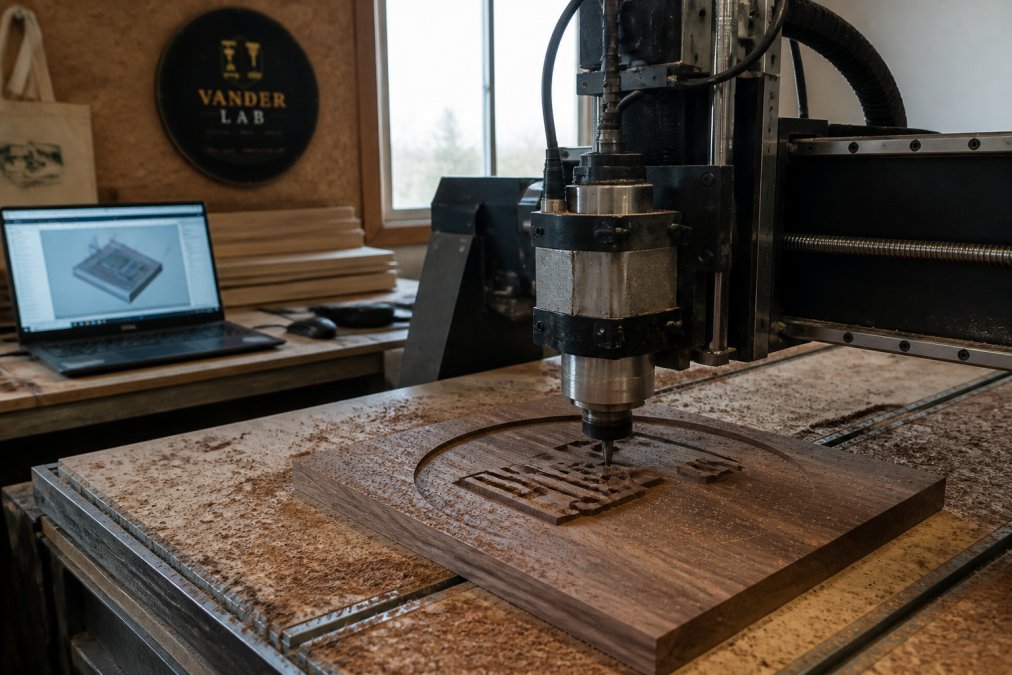
Custom wood CNC routing is the process of cutting, shaping, and carving wood with a computer-controlled router that follows a digital file, holding tolerances a hand tool simply can't match. In practice, that covers three jobs that often get lumped together: straight routing, engraving, and 3D carving. At VanderLab, our Mebane shop runs this work on machines built and tuned by hand, including a CNC router Richard Vanderpool assembled himself.
Here's what most people get wrong when they search for custom wood CNC routing: they assume "nearby" is about convenience. It isn't. It's about being able to walk in, put your hands on a sample, and talk through a cut before the spindle ever spins up.
Routing, Engraving, and 3D Carving: Where the Lines Blur
Routing is through-cutting and profiling: cabinet parts, signage blanks, brackets, jigs. Engraving removes a shallow depth for lettering, logos, and decorative linework. 3D carving steps a cutter across a surface in passes to sculpt relief, and that's where the boundaries blur, because a single sign often uses all three on one panel.
A house number sign is the clearest example. The outline gets routed, the numerals get engraved, and the border gets a 3D relief pass. One file, three operations, one finished piece.
Why Local Beats an Online Manufacturer for Most Projects
An online manufacturer will quote you a part and ship it in a box. A local shop will tell you your file has a problem before you pay for machine time. That difference matters most on one-off work, where a single misread dimension means the whole run is scrap.
Local also means you can request a material swap mid-project, see a test cut, or pick up the finished piece instead of waiting on freight.
How to Prepare Files for CNC Routing
The fastest way to cut your turnaround time is a clean file. Most delays on custom wood CNC routing jobs trace back to artwork that isn't machine-ready, not to the cutting itself.
Send vector artwork whenever possible. Raster images have to be traced, and tracing adds setup time and introduces small inaccuracies that show up on the finished edge.
Vector Files, DXF Files, and CAD Design: What to Send
- Vector files (
.ai,.svg,.eps,.pdf): best case. Paths are already defined and scale cleanly. - DXF files: the standard exchange format for CNC work. Send these if you're coming from CAD.
- CAD design files (
.step,.stp,.dwg): ideal for parts with real dimensions and tolerances. - Sketches, photos, or rough ideas: workable. We redraw them into machine-ready geometry, which is often the simplest path for one-off gifts and signage.
Common File Mistakes That Add Machine Time
- Open paths that should be closed shapes
- Overlapping or duplicate lines on the same cut
- Text converted to outlines without checking for self-intersecting curves
- Missing units. A file drawn in inches and read as millimeters comes out 25 times too small (nist.gov).
CNC Routing Design Best Practices
Design for the cutter, not for the screen. The single biggest factor in how a routed part looks and holds up is how well the geometry respects the tool doing the work.
Tolerances, Material Thickness, and Surface Finish
- Tolerances: tight tolerances are achievable, but they cost machine time. Specify them only where the part actually needs them.
- Material thickness: confirm the actual thickness of your stock, not the nominal callout. Plywood and melamine vary, and that variance shows up in joints.
- Surface finish: feed rate, spindle speed, and toolpath optimization all influence tear-out and chatter. A finishing pass costs a few minutes and saves a lot of sanding.
Materials We Cut: Hardwoods, Plywood, Melamine, and More
Wood is the core of this work, but the material list is wider than most people expect, and the material you pick shapes how the finished piece looks, wears, and costs to produce. Most shops list what they cut. Fewer explain how to choose. That's the part worth slowing down for.
Hardwoods: Oak, Walnut, Maple, and Cherry
Hardwoods route cleanly, hold crisp edges, and take a hand-finished surface better than any sheet good. They're the right call for signage, furniture parts, keepsakes, and anything meant to be handled or displayed.
- Oak: open grain, very durable, reads as traditional. Good for address signs and outdoor-adjacent pieces when properly finished. The open pores can telegraph through a thin finish, so it usually wants a grain filler first.
- Walnut: dark, tight, and forgiving to machine. A favorite for engraved signage and keepsakes because contrast between cut and surface is naturally strong.
- Maple: fine, closed grain that takes detail and paint well. Excellent for engraving and for parts where a clean, uniform face matters. It can burn if feeds and speeds aren't dialed in.
- Cherry: machines beautifully and darkens with age, which is either a feature or a surprise depending on the project. Worth flagging on anything where color matching matters.
Grain direction is the variable most people underestimate. A cut that runs across the grain can tear out on the exit side, while the same cut running with the grain comes out clean. On visible parts, that's often the difference between a finished edge and a repair.
Sheet Goods: Plywood, MDF, and Melamine
Sheet goods are the workhorses for cabinetry, jigs, fixtures, and utility parts. They're dimensionally stable, available in consistent thicknesses, and cost less per square foot than solid stock.
- Plywood: strong, light, and screw-friendly. Baltic birch is the usual pick for visible parts because it has more, thinner plies and fewer voids. Lower grades can hide internal voids that show up as a blowout mid-cut.
- MDF: uniform, flat, and cheap to machine. It has no grain, so it cuts the same in every direction, which makes it a good choice for painted parts and prototypes. It also produces fine dust and swells if it gets wet, so it isn't the pick for anything exposed.
- Melamine: a substrate with a factory-applied coating, common in shelving and retail fixtures. The coating chips on aggressive cuts, so it usually wants a down-cut or compression bit and a slower feed (woodworkingnetwork.com). Edge banding is typically required to finish it.
Beyond Wood: Epoxy, Composites, and Plastics
Epoxy pours, composites, and plastics all machine on the same routers, with different tooling and feeds. A routed wood base with a cast epoxy inlay is a single job here, not two vendors coordinating schedules. The one hard rule with epoxy is cure time: machining a pour before it's fully cured gums up the cutter and ruins the surface.
How to Choose: A Quick Decision Guide
| If your project is... | Start with... | Because... |
|---|---|---|
| An engraved sign or keepsake | Walnut or maple | Tight grain holds fine detail and strong contrast |
| Furniture or a structural part | Oak or plywood | Strength and screw-holding where it matters |
| A painted or finished panel | MDF | No grain to telegraph through the finish |
| Cabinetry or shelving | Plywood or melamine | Stable, consistent, and cost-effective in volume |
| An inlay or river-style piece | Hardwood plus epoxy | Wood provides structure, epoxy provides the fill |
A practical note on thickness: nominal callouts and actual thickness don't always match. Plywood and melamine in particular vary batch to batch, and that variance shows up in joints. If a part has to fit another part, measure the stock you're actually using rather than trusting the label.
If you're not sure which material suits your project, that's a normal conversation to have before anything gets cut. Bring the intended use and where the piece will live, and the material choice usually follows from there.
Small-Batch CNC Manufacturing and One-Off Prototyping
Small-batch CNC manufacturing is the middle ground between a single handmade piece and an industrial production run. It suits anyone who needs twenty identical parts, not one and not twenty thousand.
This is where a local shop earns its keep. A prototype gets cut, measured, adjusted, and recut in the same week. Once the design holds, the run proceeds on the same machine with the same setup, so part twenty matches part one.
How a Prototype Becomes a Production Run
The path from idea to finished batch usually moves through four stages:
- File review and setup. The design is checked for machine-readiness, tooling is selected, and the first toolpath is generated. This is where a file problem gets caught before it costs machine time.
- First article. One part is cut and measured against the intended dimensions. If tolerances are tight, this is where they get verified rather than assumed.
- Design adjustment. Anything that didn't translate from screen to stock gets corrected in the file, not on the finished part. A chamfer that looked right in CAD may need a different tool, and it's cheaper to learn that on article one.
- Production run. The approved setup runs the remaining quantity. Because fixturing and tooling are already dialed in, per-part time drops and consistency holds across the batch.
A common pattern is that the first article takes longer than any single part in the run that follows. That's normal, and it's why pricing for small-batch projects often includes a setup component in addition to a per-part component.
Turnaround Time: What to Expect
Lead time tracks project complexity more than quantity. A rough guide:
- Simple cut parts (flat profiles, basic holes, no finishing): the fastest category, often measured in days once the file is approved.
- Engraved or two-operation parts: adds a second setup and a tool change, which extends the schedule modestly.
- 3D carving and sculpted relief: significantly longer, because the cutter steps across the surface in many passes rather than cutting through in one.
- Epoxy pours: the schedule is set by cure time, not machine time. A pour has to fully cure before it can be machined, and that wait can't be compressed.
- Hand-finishing: sanding, sealing, and painting are done off the machine and add time in proportion to how much surface area is involved.
Rush timelines compress the schedule, not the work. A part that needs a finishing pass still needs a finishing pass. What changes is the order jobs move through the shop, which is why rush requests are best raised before the file is approved rather than after.
Batch Sizes That Fit This Shop
VanderLab has produced 250 custom-designed holders for a local school, engraved trophies for a disc golf tournament, and batch keepsakes for a community event. Those are the sizes that fall through the cracks at large manufacturers, and they're exactly the sizes a Mebane fabrication lab is built for.
What Affects Cost and Turnaround Time on a Custom Quote
The cost of custom wood CNC routing depends on a handful of variables, and knowing them helps you understand the quote process before you ever call.
- Machine time: total cutting minutes, driven by part size, complexity, and pass count
- Setup fees: file prep, fixturing, and test cuts, which are fixed per job rather than per part
- Material: species, grade, thickness, and whether it's something the shop stocks
- Quantity: per-part cost drops as quantity rises, because setup is spread across more pieces
- Finish work: sanding, sealing, painting, and hand-finishing
Turnaround follows the same logic. Simple cut parts move fast. Pieces with 3D sculpting, epoxy pours, or hand-finishing take longer, and rush timelines compress the schedule rather than the work.
For current pricing, send your file or sketch through VanderLab's custom quote request and you'll get a breakdown rather than a single lump figure. If you'd rather browse ready-made pieces first, VanderLab also keeps an Ebay Shop where finished work is listed.
Custom work gets complicated fast: files that need repair, materials that behave differently than expected, timelines that tighten. That's the point at which a nearby shop beats a distant one, because problems get solved in a conversation instead of an email thread. VanderLab handles custom CNC machining, CAD design, and 3D printing from a home fabrication lab in Mebane, working from sketches, photos, or rough ideas, with local pickup available and shipping nationwide. Get started with VanderLab and turn your rough idea into a finished, built-to-spec piece.
Frequently Asked Questions
What should I look for when hiring a local CNC routing service?
Look for published capabilities: cutting capacity, work envelope, materials handled, and whether they show real project photos. Ask about tolerance, surface finish, and setup fees before you commit. A shop that explains feed rate, spindle speed, and toolpath optimization in plain terms is usually one that runs tight tolerances. Local pickup saves shipping and lets you check the piece in person before it leaves the bench.
What file formats do I need for custom wood CNC projects?
Most shops prefer vector files such as DXF, AI, or SVG for 2D routing and engraving, and STL or STEP for 3D carving and sculpting. If you only have a sketch or photo, a fabricator with CAD design experience can redraw it. Always confirm material thickness and units in the file before sending it, because a wrong unit changes the entire cut.
Can local CNC shops handle small-batch or one-off custom orders?
Yes. Small-batch CNC manufacturing is exactly where local shops shine. A home fabrication lab can run one prototype, then scale to a few hundred identical parts without the minimum order quantities large factories require. Production runs of 250 custom holders for a school or batch keepsakes for an event are well within reach for a Mebane shop.
How does custom CNC routing differ from mass-produced wood products?
Mass-produced pieces come off a fixed mold or die, so every unit is identical and nothing changes without retooling. Custom CNC routing starts from your file, so dimensions, engraving, and edge profiles match your project. You also get hand-finishing, which is why tolerances and surface finish hold up better on a made-to-order piece than on a shelf item.