 comparison
Building vs Buying a CNC Router: What Actually Costs Less
Last Updated: October 26, 2026
Quick Summary
Building a CNC router typically costs $1,000 to $5,000 in components, but the true build CNC router cost includes 60 to 140 hours of assembly, calibration, and troubleshooting, often making it comparable to or more expensive than buying ready-made when you factor in your time.
- A capable DIY CNC with real cutting capacity costs $1,000 to $5,000 in parts alone, while a stripped-down machine might stay below $200 but has severe limitations.
- Assembly and calibration take 60 to 140 hours total, with most builders underestimating labor time and compatibility issues.
- Ready-made machines arrive tested and debugged, cutting your path from unboxing to first project from weeks to hours.
- The decision hinges on whether you value customization and learning over time savings and reliability.
- A fair comparison holds work area, spindle class, and capability constant between DIY and ready-made options.
Table of Contents
- Building vs Buying a CNC Router: The Real Cost Breakdown
- DIY CNC Router Cost: What You Actually Spend
- DIY CNC Machine Parts List and Component Costs
- Build or Buy CNC Router: Weighing the Trade-offs
- CNC Router for Woodworking: Which Path Fits Your Work
- Hidden Costs in Both Paths
- Deciding: DIY or Ready-Made for Your Shop
- Frequently Asked Questions
Building vs Buying a CNC Router: The Real Cost Breakdown
The question isn't whether the build CNC router cost is lower, it's whether the upfront savings justify everything that comes with it. According to a 2003 CNC build documented on Monkey Wiki, one builder spent just under $6,000 on a custom machine, only to note that a good DIY machine might not cost much less than buying one outright.
Whether you build a CNC router or buy one ready-made depends on what you'll trade: time, expertise, reliability, and risk.
DIY CNC Router Cost: What You Actually Spend
To build CNC router cost, you start by buying mechanical components, electronics, and a controller, then assembling them into a working machine. The upfront parts cost only tells half the story.
Parts and Materials
The mechanical frame is your foundation. According to Instructables' low-budget CNC project guide, a minimal build using sourced components could stay below $200 in raw parts, but that represents a stripped-down machine with severe limitations.
The parts aren't the hard part; compatibility is. Learn how to design machine-ready parts and prepare CAD files correctly for your build. A stepper motor that works with one controller might not work with another, and extrusions from different suppliers have different tolerances.
Labor and Assembly Time
Here's where most DIY builds underestimate the true cost. Assembly takes 40 to 100 hours, and calibration and troubleshooting add 20 to 40 more, with misaligned rails or software conflicts often forcing redesign.
| Cost Category | DIY Build | Ready-Made |
|---|---|---|
| Parts & Materials | $1,000-$5,000 | Included |
| Assembly Labor | 40-100 hours | Included |
| Calibration & Setup | 20-40 hours | Minimal |
| Software & CAD Tools | $0-$500 | Often included |
| Total Time Investment | 60-140 hours | 2-4 hours |
| Troubleshooting Risk | High | Low |
DIY CNC Machine Parts List and Component Costs
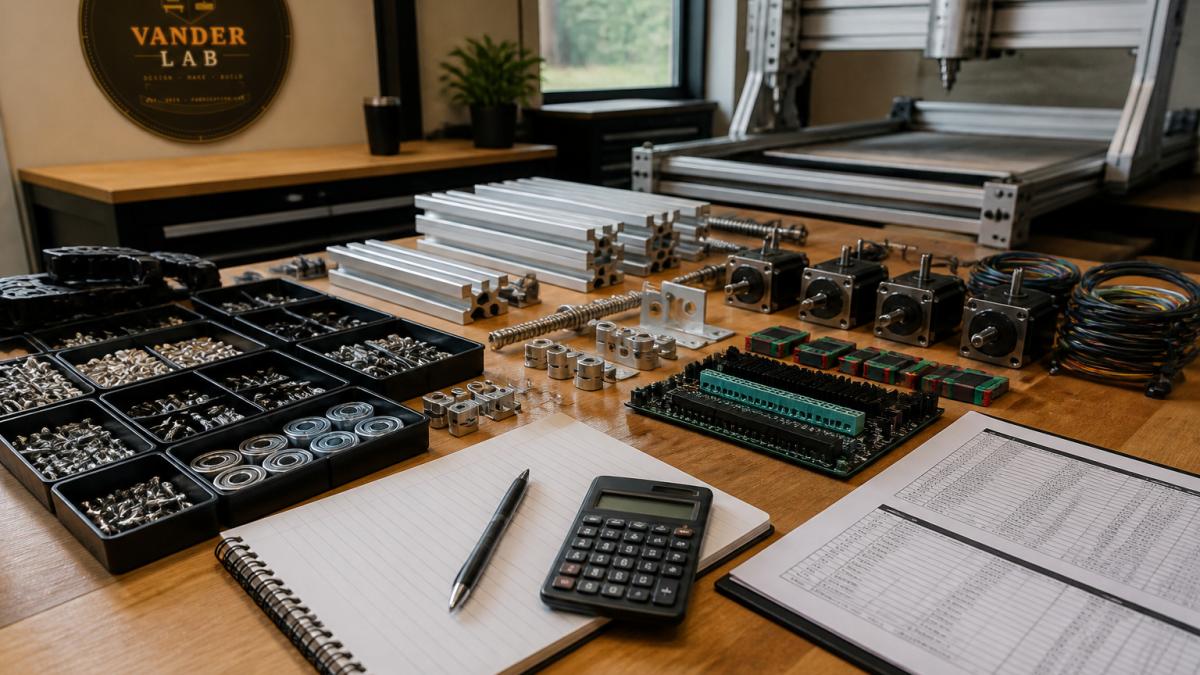
Frame and structural components: Aluminum extrusions, linear rails, and bearings form the skeleton.
Motors and motion control: Stepper motors are cheaper but less precise than servos.
Spindle or router: A hardware-store trim router costs $80 to $150 but won't last under constant use.
Power supply and electrical: A quality continuous-duty power supply costs $100 to $300; cheap ones fail under load.
Software and design tools: You need CAD software to design parts and CAM software to generate toolpaths. Explore affordable CAD software options for beginners in manufacturing. Free and affordable CAD options for beginners exist, but professional-grade software costs $50 to $300 per month. If you're starting from sketches or rough ideas, you can also reach out for Custom Quotes.
Compatibility Checklist Before You Buy
Most DIY budget overruns come from mismatches discovered mid-build. Check before ordering:
- Motors and drivers: Confirm the driver's continuous current rating exceeds the motor's rated current, and that the driver supports the motor's wiring configuration (bipolar versus unipolar).
- Power supply: Add the current draw of every motor and the spindle, then add at least 20 percent headroom. Undersized supplies cause stalls and resets that look like software problems.
- Controller and software: Check that the controller's firmware supports the CAM software's output format and that the controller has enough input/output pins for limit switches, an emergency stop, and a probe if you plan to add them.
- Mechanical fit: Verify rail and bearing sizes match the extrusion profile, and couplers match both the motor shaft and lead screw diameters. Mismatches force a second order and a week of waiting.
Like-for-Like: DIY Versus Ready-Made at the Same Work Area
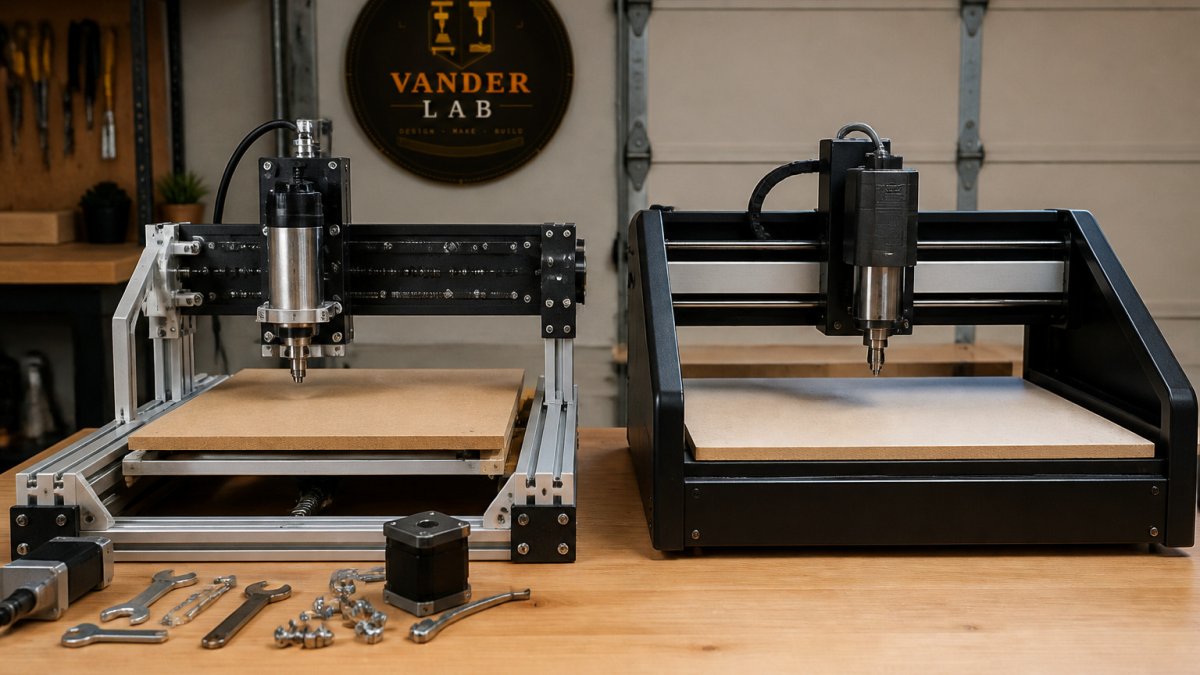
A fair comparison holds work area and capability constant. Line up a DIY build and a ready-made machine with the same cutting envelope, spindle class, and controller features.
Build or Buy CNC Router: Weighing the Trade-offs
The decision comes down to time, capability, or reliability.
The Total-Cost Comparison Most Builds Skip
- Parts and materials for the DIY build, including shipping and tax.
- Tools you don't already own, such as a square, calipers, a tap set, and a soldering station.
- Software, whether a one-time license or a subscription.
- Consumables, including endmills and bits for the first several months.
- Contingency for mismatched or missing components, typically 10 to 20 percent of the parts total.
What the Builder's Time Is Worth
Assembly runs 40 to 100 hours, calibration and troubleshooting add 20 to 40 more, and research and sourcing are real hours rarely counted. The honest question is whether you'd rather spend those hours building or cutting.
Accuracy, Rigidity, and Reliability by Budget
Build choices change what the machine can do:
- Entry-level builds cut signs, decorative panels, and simple joints well, but flex under load and need slower feeds.
- Mid-range builds with a rigid frame and continuous-duty spindle hold repeatability across production runs and handle hardwoods without chatter.
- Ready-made machines arrive tested and debugged, with a warranty and replacement parts, shortening the path from unboxing to cutting.
It's how much precision and repeatability you need, and how much of the path you want to build yourself.
A Decision Framework by Experience and Use Case
- First-time user, goal is finished parts: A ready-made machine gets you cutting in hours instead of weeks, with support when something goes wrong.
- Hobbyist who enjoys the build: A DIY machine is rewarding and teaches you every component, making later troubleshooting easier. Go in with a contingency budget and realistic time estimate.
- Small-batch producer: Compare like-for-like on work area and spindle class, then value your time.
- Maker with a non-standard workflow: A DIY build lets you size the bed and choose the spindle for your work. That customization is the strongest reason to build.
Advantages of Building
Lower upfront cash outlay.
Customization. You design the machine to fit your space and workflow, whether that's a 4x8 cutting bed or a spindle that handles wood and soft metals.
Learning. Building teaches you how the machine works, making later troubleshooting and maintenance easier.
Pride in ownership. There's genuine satisfaction in running a machine you built yourself. Richard Vanderpool at VanderLab built his own CNC machine, and that hands-on knowledge shaped how we approach custom fabrication for clients.
Advantages of Buying Ready-Made
Reliability out of the box. A manufactured machine has been tested and debugged, so you're not the first to discover the frame flexes or the controller conflicts with your software.
Time to productivity. Unbox it, calibrate for a couple of hours, and start cutting, no 60 to 140 hours of assembly and troubleshooting.
Warranty and support. If something fails, the manufacturer stands behind the machine.
Accuracy and rigidity. Industrial machines are engineered for precision.
Resale value. A used commercial machine holds value better than a DIY build.
CNC Router for Woodworking: Which Path Fits Your Work
Woodworking demands cutting precision, good surface finish, and a machine that won't tear grain or burn edges.
A DIY machine can do woodworking, but it depends on how demanding your work is. Signs, decorative panels, and simple joints work fine on a budget build.
Hardwoods cut differently than softwoods, and plywood veneers tear easily. A machine with enough rigidity and spindle power handles these variations without chatter.
Hidden Costs in Both Paths
Maintenance and Calibration
DIY machines need regular attention: rails collect dust, bearings wear, belts stretch. Ready-made machines need maintenance too. The hidden cost is downtime, a DIY machine that needs troubleshooting is offline until you fix it.
Software and Tooling
You need CAM software to turn designs into toolpaths. Free options exist but have limits; professional CAM costs $100 to $300 per month.
You also need cutting tools, endmills, bits, and router bits. A basic set costs $50 to $150, and different materials demand more specialized tools.
Professional CNC machining pricing guides break down the full cost picture, including software, tooling, and materials.
Deciding: DIY or Ready-Made for Your Shop
Start with this question: What will the machine actually do?
If you're building prototypes, cutting custom signage, or producing small batches, consider the time and risk involved.
Why professional CNC might be your best option deserves a look if you're on the fence, and cost of custom CNC machining shows what outsourcing looks like as a comparison point.
At VanderLab, we work with both builders and buyers. You can visit our Ebay Shop. Whatever you choose, the goal is the same: precision parts.
Frequently Asked Questions
Is it cheaper to build your own CNC machine or buy one?
It depends on your timeline and skill level. A DIY CNC router can cost anywhere from a few hundred dollars for a basic low-budget build to $5,000 or more for an advanced machine with quality components. A ready-made entry-level CNC router from established manufacturers offers reliability and support but requires upfront capital. Building saves money initially but demands your time for sourcing, assembly, and troubleshooting. Buying costs more upfront but eliminates assembly risk and often includes warranty support.
How much does it cost to build a DIY CNC router?
DIY CNC router costs vary based on capability and component quality. A basic low-budget build using sourced components can be kept below $200 in materials, though this represents a minimal machine. More practical hobby builds typically range from $1,000 to $5,000+, depending on frame size, motor quality, and control electronics. The widest variable is the frame material and work area: a small tabletop machine costs less than a full-size 4x8 sheet router. Labor and your own time are not included in material costs but represent significant hidden expense.
What is a good CNC router for woodworking?
For woodworking, consider your project size and precision needs. Entry-level ready-made machines like the Carbide 3D Shapeoko 4 are designed for beginners and use V-wheels that keep maintenance simple. DIY builds work well for woodworking if you prioritize rigidity in the frame and smooth motion in the cutting head. Woodworking typically requires tight tolerances and consistent accuracy, so machine rigidity matters more than raw power. Many woodworkers find that a mid-range ready-made machine or a well-built DIY machine with quality linear rails outperforms a cheap build or an oversized industrial machine for typical shop work.
What parts do you need to build a DIY CNC machine?
A complete DIY CNC machine requires a frame (aluminum extrusion or lasercut panels), stepper motors (typically three or four), motor drivers, a CNC controller board, a power supply, linear motion components (rails or V-wheels), a spindle or router, software (CAM and control software), and an assortment of hardware. The frame and motors represent the largest expense. Electronics and controls come as kits or individual components. Sourcing parts separately gives you control over quality but requires research to ensure compatibility. Many builders use kits that bundle compatible components to reduce guesswork.
Is it worth building a CNC machine if you're not sure you'll use it much?
Building makes sense only if you're committed to using the machine regularly or enjoy the build process itself. A DIY build ties up your time and money upfront, and incomplete projects waste both. If you're uncertain about your usage, renting machine time, buying a smaller ready-made machine, or starting with a kit designed for easy assembly is often smarter. Many makers find that a modest ready-made machine gets used more because it's ready to work immediately, while a DIY project can stall during assembly or troubleshooting. Your actual commitment to the work matters more than the cost of the machine.
Building a CNC machine teaches you craftsmanship. Buying one gets you to work faster. VanderLab brings both perspectives to custom fabrication, whether you're designing parts for a machine you're building or you need precision cuts that a DIY setup can't deliver. Get a custom quote and let's talk about what your project actually needs.